LottoGo iPhone & iPad App: Official GB Listing and Setup
 Available in GB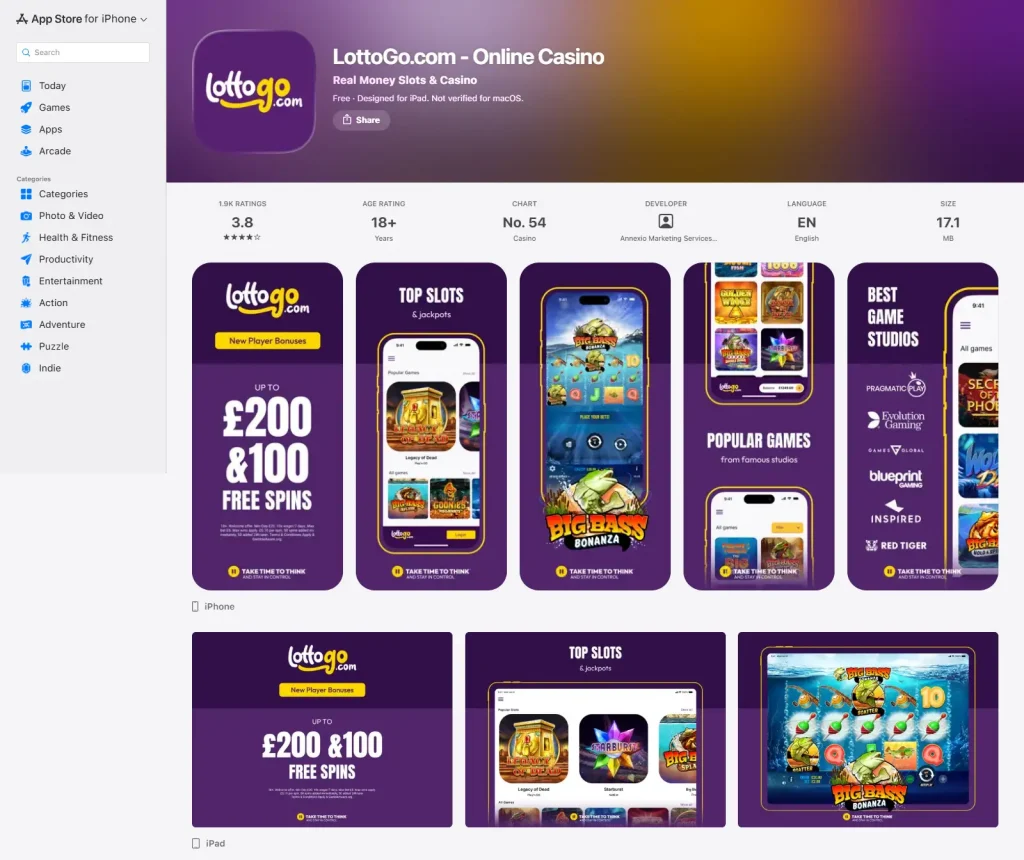
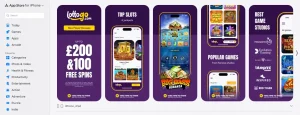
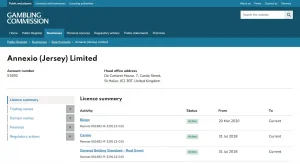
Yes. LottoGo has an official native app in the GB App Store for iPhone and iPad. The current listing is titled LottoGo.com – Online Casino, names Annexio Marketing Services (UK) Limited as the developer, carries an 18+ age rating and lists English as the app language. The current compatibility information says iOS 14.0 or later for iPhone and iPadOS 14.0 or later for iPad. For the wider service context, see the LottoGo casino review.
Those details are the most useful authenticity checks. Instead of following an unofficial download link, open Apple’s GB App Store and confirm the app name, developer and age rating before installing. The listing is live metadata, so ratings, file size, chart position and even compatibility can change. Treat those fields as current App Store information rather than permanent specifications.
Table of Contents
How to identify the official GB App Store listing
The most reliable check is the listing identity itself. Look for the title LottoGo.com – Online Casino and the developer Annexio Marketing Services (UK) Limited. The current GB storefront also shows an 18+ age rating and English language support. These details create a stronger identity check than an app icon alone, because icons and promotional artwork can change more easily than the underlying storefront record.
Do not use a search-engine result as the final verification step. Search results can point to review pages, archived listings or unrelated apps with similar wording. Open the product page inside Apple’s App Store environment and compare the developer name there. If the developer identity or product title does not match the current GB listing, stop and verify before entering account details.
This matters especially for gambling apps because the account may later contain personal, payment and identity information. A counterfeit or unrelated app is not merely inconvenient. It creates a security risk before you even reach the casino content. Using the official store route reduces that risk and gives you Apple’s normal update and permission controls.
For the wider platform comparison, including why Android users should use the browser instead of looking for an APK, see the LottoGo app and mobile guide.
Supported Apple devices and account access
The current GB App Store listing supports iPhone and iPad. It says iPhone requires iOS 14.0 or later and iPad requires iPadOS 14.0 or later. Compatibility can change when a new version is released, so check the live listing on the device you intend to use.
If the App Store lets you install the current version, the next step is to use your existing LottoGo account details or complete the normal registration route if you do not yet have an account. The app should be treated as another access route to the LottoGo service, not as a reason to create duplicate profiles. Keeping one accurate account makes payment ownership, support and later verification easier to manage.
Before signing in on a shared iPad, consider whether the device is used by other members of the household. Gambling accounts contain sensitive account and financial information. Use the device lock features available to you, avoid saving credentials where other people can access them, and sign out if the device is not exclusively yours.
The current listing describes the app as providing access to games, bonuses and account features. That supports a practical all-in-one mobile use case, but it does not justify claiming that every desktop function is permanently identical. If one feature matters to you, confirm it after sign-in instead of relying on a broad feature-parity assumption.
If you upgrade or replace your Apple device, repeat the storefront check rather than copying an old app package between devices. The App Store record is useful precisely because it reflects the version Apple is currently distributing in Great Britain. That keeps setup tied to a current signed distribution route instead of an archived installer whose status you cannot easily verify.
Current offer information shown in the listing
The current GB App Store listing advertises a new-player casino welcome offer of 100 free spins plus a 100% deposit match up to £200. It also states a £20 minimum qualifying deposit, 10x wagering within 7 days, a £5 maximum bet while wagering, £0.10 spin value and a split in which 50 spins are added immediately and 50 are added 24 hours later.
These are promotional terms, not permanent app specifications. The App Store listing currently shows them, and they can help users confirm that they are looking at the live LottoGo product page. If the offer text changes later, follow the current App Store listing and LottoGo terms.
Do not confuse the promotional £20 qualifying deposit with a universal cashier minimum for every transaction. A bonus threshold governs that offer. The live cashier can have its own current rules for deposits and payment methods. If your main reason for installing the app is the welcome offer, read the LottoGo welcome offer guide and the live terms before depositing.
A promotion should not be treated as a reason to deposit more than you planned. Decide first what amount, if any, fits your entertainment budget, then check whether the current offer conditions are acceptable. If you do not want wagering conditions attached to a promotional balance, verify whether you can proceed without selecting the offer.
Payments, games and support from the app
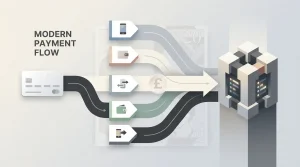
LottoGo’s UK payment options include Visa debit, Mastercard debit, PayPal, Apple Pay and Google Pay, subject to what the live cashier shows. The current App Store description specifically mentions debit cards and Apple Pay. For an iPhone or iPad user, Apple Pay may be convenient, but the right method is still one you control and can access again if the account later requires payment verification.
The LottoGo catalogue includes slots, live casino games, table games, scratchcards and Keno. The App Store listing currently emphasises slots, scratchcards and instant-win play. Game libraries change, so check the live app for the titles available on your device.
Support is also part of the app decision. LottoGo provides live chat and the email address [email protected], with English support for UK customers. Before making a payment, locate the support route and account settings so you know where to go if a deposit, login or verification issue interrupts normal use.
Withdrawal timing and identity-check requests can vary by account and payment route. Check the current account or cashier guidance when those details matter. Keep your registration details accurate, use your own payment method and retain access to the email and phone details connected to the account.
What Apple users should verify before installing
Start with the storefront. Confirm that you are in the GB App Store, that the title is LottoGo.com – Online Casino and that the developer is Annexio Marketing Services (UK) Limited. Then check the compatibility line for your device and the current age rating. If any of those identity markers are different, do not assume a similar-looking result is the same product.
Next, read the current listing rather than relying on an old copy. Ratings, file size, chart rank, version history and promotional copy are dynamic. They may be useful context on the day you install, while the live listing shows the current version and metadata.
Finally, check how you intend to use the app. If you already have a LottoGo account, keep using that profile. If you are new, make sure the personal information you enter is accurate and that the payment route belongs to you. Those choices make later account support and verification easier than trying to correct mismatched details after a withdrawal request.
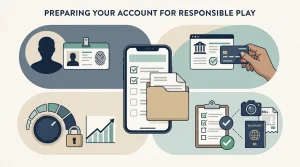
If you are still deciding whether to register at all, read the LottoGo registration and KYC guide before opening the account. Exact KYC document checklists and verification times can vary, so follow the current account instructions if a check is requested.
A final authenticity habit is to ignore claims that you must install a separate configuration profile, enterprise certificate or off-store package to use LottoGo on iPhone or iPad. The official route is the normal GB App Store listing. Any installation flow that asks you to bypass that route should be treated as a different product until proven otherwise.
How UK users can identify the official LottoGo iPhone and iPad app
The official route is straightforward: use Apple’s GB App Store and verify the current listing by its product title, developer and age rating. The listing identifies LottoGo.com – Online Casino, developer Annexio Marketing Services (UK) Limited, 18+, with support for iPhone and iPad on the listed minimum operating-system versions.
Use the listing as a live reference rather than a static specification sheet. Compatibility, version number, size, ratings and promotional text can change. For dynamic fields, follow the current App Store record and the latest LottoGo terms.
Most importantly, avoid unofficial download routes. Apple users do not need a third-party installer to access the official LottoGo app. Confirm the storefront identity first, install through the normal App Store process, then use the same accurate account and payment details you would use on the website.
The developer line is one of the strongest checks because an app name or icon can be copied more easily than the storefront identity attached to the listing. Confirm Annexio Marketing Services (UK) Limited on the current GB App Store page, together with the LottoGo.com – Online Casino title and 18+ rating. If a search result or external page points to a different developer, do not treat it as the same official listing. Opening the product page inside Apple’s own store gives you a clearer basis for checking the app before installation than downloading a file from a third-party site.
After that, treat device requirements and version details as live storefront information. The supported iPhone or iPad software versions, app size, rating totals and promotional copy can change when the listing is updated, so they should not be memorised from a static review. Check the current compatibility area on the device you plan to use and install through the normal App Store process. Once signed in, the same account rules still apply as on the website: use accurate details, keep control of the payment method attached to the account and know how to reach support and safer-gambling settings. The app is a different access route, not a separate gambling account with separate obligations.
If you reinstall later, repeat the storefront identity check instead of relying on a remembered icon. Confirm the same title and developer on Apple’s current GB listing, then review compatibility again on the device in hand. That keeps the installation decision tied to the live official record rather than to an old search result.
Recommend
LottoGo Bonus & Promotions for UK Players
The GB App Store listing presents the current UK welcome offer and its key conditions....
LottoGo Registration and KYC for UK Players
LottoGo UK GuideA prepared account journey starts with accurate identity details, controlled payment methods and...

LottoGo Games & Casino Library
LottoGo UK GuideA category-first view is more useful than a volatile headline game total. LottoGo's...
LottoGo Payment Methods for UK Players
LottoGo UK GuideThe useful comparison is not only how to deposit, but how easily the...
LottoGo Licence, Safety and UK Player Rules
LottoGo UK GuideThe UK Gambling Commission public register identifies Annexio (Jersey) Limited and the LottoGo...

LottoGo Mobile Casino & App for UK Players
LottoGo UK GuideLottoGo's mobile split is simple: native Apple app on iPhone and iPad, browser...
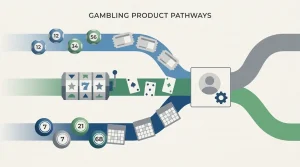
LottoGo Lottery Betting and Casino: How the Hybrid Model Works
LottoGo UK GuideLottoGo combines several gambling formats, but the event that determines each wager is...